Telescope
Compare papers side by side, cited to the page.
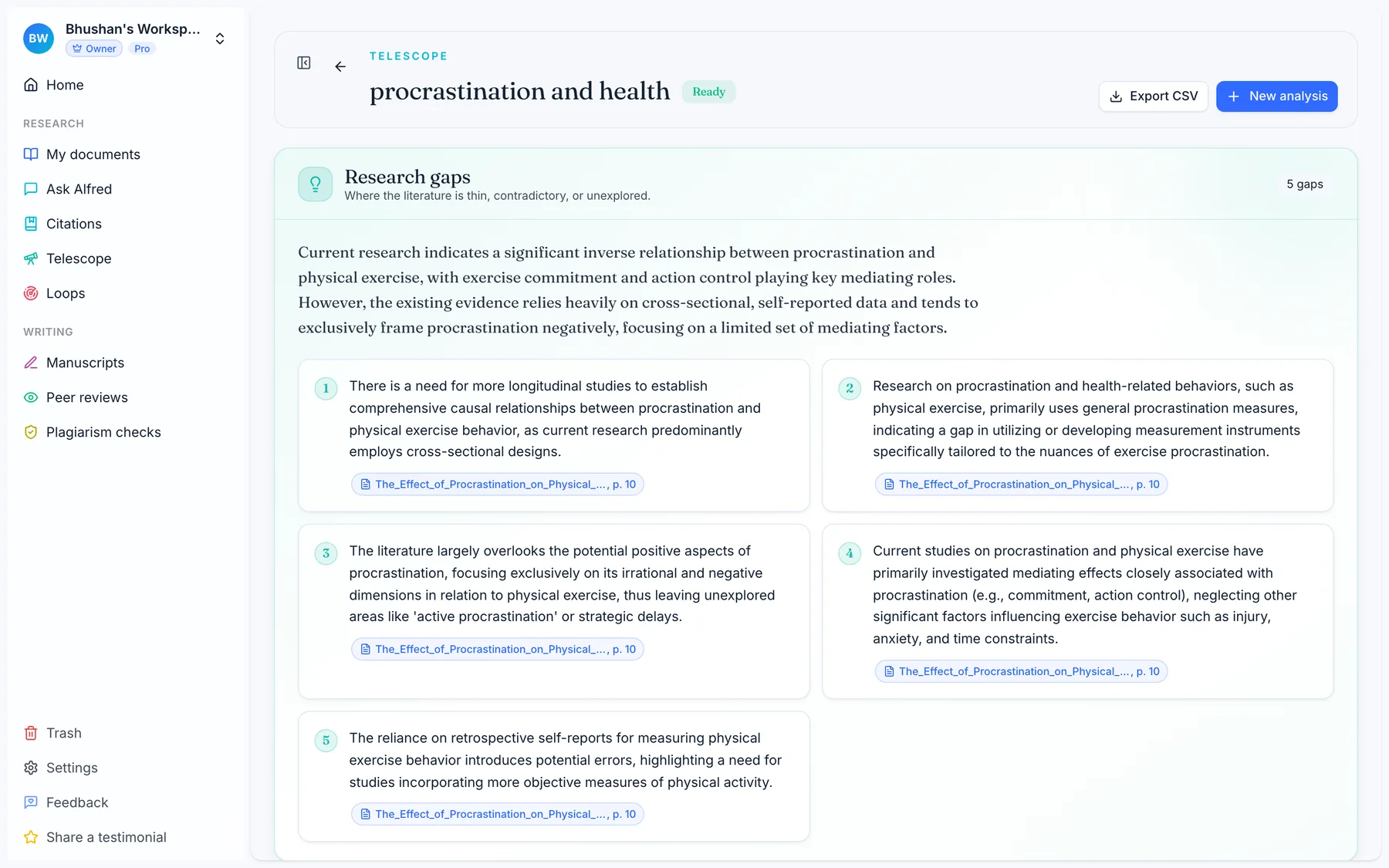
Telescope turns a stack of papers into a matrix. One row per paper, one column per question you define. Every cell cites the exact page it came from, and a synthesis at the end names the research gaps worth pursuing.
3 days of Pro for ₹48 · then ₹899/mo · cancel any time7 days of Pro, no card · then the free plan · upgrade when you want to
How it works
How Telescope works
Three steps from a pile of PDFs to a structured, cited comparison.
- 1
Choose your papers
Pick the papers you want to compare from your workspace. Each analysis covers up to 50 pages of source material in total.
- 2
Define your columns
Write the questions you want answered for every paper, or load a saved preset. Each question becomes a column: sample size, methodology, key findings, limitations, whatever you need.
- 3
Read across the matrix
Alfred fills one row per paper and one column per question. Every cell cites the exact page in the source PDF, and a synthesis at the end points to the gaps worth pursuing.
What you get
A comparison you can trust and reuse
One row per paper, one column per question
Telescope lays your papers out as a matrix. Rows are your sources, columns are the questions you define. Read down a column to compare one dimension across every paper, or across a row to understand a single study.
Every cell cites its page
Each answer in the matrix points to the exact page in the source PDF where it came from. Open the citation to check the claim yourself. When Alfred cannot find an answer, the cell says so honestly instead of guessing.
Synthesis that names the gaps
Below the matrix, Alfred synthesizes what the papers agree on, where they disagree, and which questions the literature has left open. This is the part that turns a comparison into a research direction.
Saved column presets
Save the columns you use often as a preset. Reuse the same set of questions across new batches of papers so every comparison is structured the same way.
Rerun and retry per cell
Not satisfied with a single answer? Rerun or retry that one cell without touching the rest of the matrix. Refine a question and see just that column update.
Export your matrix
Export the finished comparison to take into your notes, your manuscript, or a shared document. The structured grid leaves Alfred in a form you can keep working with.
What is included
What each plan includes
Pro
3 Telescope analyses per month. Each analysis covers up to 50 pages of source material in total.
Lab
10 Telescope analyses per month, with the same 50-page limit per analysis. Room to run comparisons across a full team.
Where to next
Part of your review workflow
Loops
A weekly digest of new work on your keywords, so the matrix keeps having something to compare.
CompareAlfred Scholar vs Elicit
Structured extraction across papers, over your library rather than a public index.
What it costsPlans and pricing
Pro is ₹899 a month in India and $19 elsewhere. Lab seats five. Start with a trial either way.
Turn a stack of papers into a direction.
Define your columns, run Telescope, and read the gaps straight off the synthesis.
Prefer to read first? Read the Docs